
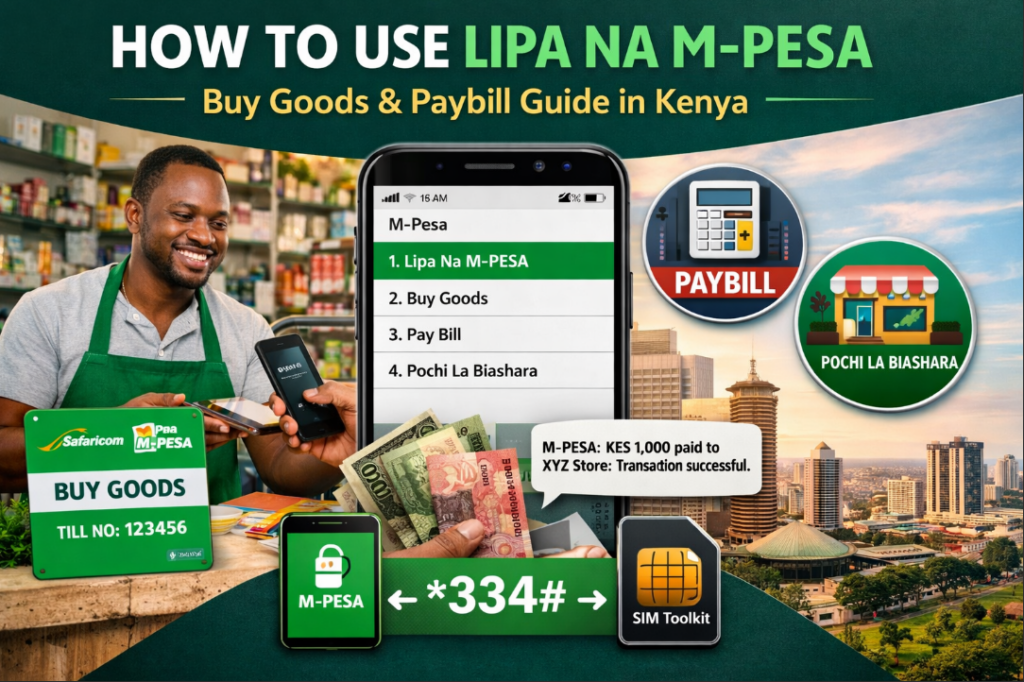

How to Use Lipa Na M-Pesa (Buy Goods & Paybill) in Kenya
Lipa Na MPesa is a Safaricom payment service that allows you to pay for goods and services directly from your M-Pesa wallet. You can use it via the M-Pesa app, USSD (*334#), or SIM toolkit to pay businesses using a Till Number (Buy Goods), Paybill Number, or Pochi La Biashara.
Quick Answer: To use Lipa Na M-Pesa, go to M-Pesa → Lipa Na M-Pesa → choose Buy Goods or Paybill → enter the Till or Business number → input amount → enter your PIN → confirm. You will receive an SMS confirmation instantly.
📌 What is Lipa Na M-Pesa?
Lipa Na M-Pesa is a cashless payment solution by Safaricom that enables customers to make secure and instant payments to businesses across Kenya. It eliminates the need for cash and supports millions of daily transactions.
🛒 How to Pay Using Buy Goods (Till Number)
- Go to M-Pesa menu (App, SIM Toolkit, or dial *334#)
- Select Lipa Na M-Pesa
- Choose Buy Goods and Services
- Enter the Till Number
- Enter the Amount
- Enter your M-Pesa PIN
- Confirm the payment
Best for: Shops, supermarkets, restaurants, salons.
🧾 How to Pay Using Paybill Number
- Open M-Pesa
- Select Lipa Na M-Pesa
- Choose Paybill
- Enter the Business Number
- Enter the Account Number (e.g. meter number, student ID)
- Enter the Amount
- Enter your PIN and confirm
Best for: Bills, school fees, subscriptions, loans.
📱 How to Use Pochi La Biashara
- Go to M-Pesa
- Select Lipa Na M-Pesa
- Choose Pochi La Biashara
- Enter the business phone number
- Enter amount
- Enter PIN and confirm
Best for: Small businesses like boda boda, kiosks, and freelancers.
⚙️ Ways to Access Lipa Na M-Pesa
- M-Pesa App
- USSD (*334#)
- SIM Toolkit (Safaricom Menu)
⚠️ Important Tips When Using Lipa Na M-Pesa
- Always confirm the business name before entering your PIN
- Double-check the Till or Paybill number
- Never share your M-Pesa PIN
- Ensure you have sufficient balance before paying
🔗 Related Guides (Internal Links)
How to Buy Kenya Power Tokens via M-Pesa
How to Check Kenya Power Bill
How to Apply for KCB M-Pesa Loan
How to Use Fuliza M-Pesa
❓ Frequently Asked Questions (FAQs)
1. What is the difference between Buy Goods and Paybill?
Buy Goods uses a Till Number for direct business payments, while Paybill requires a Business Number and Account Number for tracking specific payments.
2. Is Lipa Na M-Pesa free?
Buy Goods is usually free for customers, while Paybill charges depend on Safaricom tariffs.
3. Can I reverse a Lipa Na M-Pesa transaction?
Yes. You can reverse via SMS or contact Safaricom customer care immediately.
4. What happens if I enter the wrong Till Number?
The money may go to the wrong business. Always confirm the name before entering your PIN. Use the automatic Hakikisha service
5. Can I use Lipa Na M-Pesa without the app?
Yes. You can use USSD (*334#) or the SIM Toolkit.
