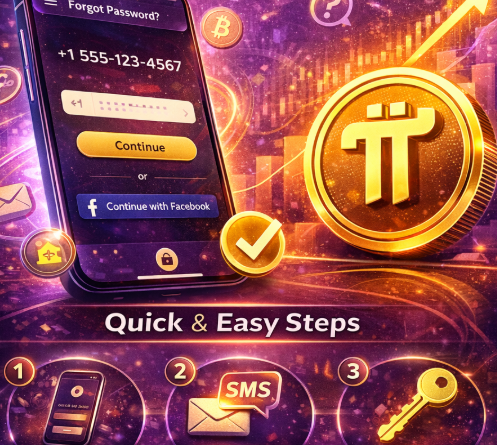
How to Reset Your Pi Network Password
How to Reset Your Pi Mining App Password (2026 Step-by-Step Guide)
Forgot your password on the Pi mining app? Don’t worry. This complete 2026 guide explains how to reset your Pi Network password quickly, fix SMS verification issues, and secure your account — especially now that Pi Network is on Open Mainnet and allows real trading.
If you’re searching for:
how to reset Pi mining app password
Pi Network forgot password fix
Pi SMS verification not working
reset Pi password without losing coins
You’re in the right place.
Why Resetting Your Pi Password Is Important
With Pi now tradable on exchanges and real value involved, securing your account is critical. If you lose access, you risk:
Missing mining sessions
Delays in KYC verification
Inability to migrate to Mainnet
Delays in sending Pi to exchanges
Let’s fix it step by step.
Method 1: How to Reset Pi Network Password Using Phone Number
This method works if you registered with your phone number.
Step 1: Open the Pi Network App
Launch the Pi mining app on your Android or iPhone.
Step 2: Tap “Forgot Password?”
On the login screen, select Forgot Password.
Step 3: Enter Your Registered Phone Number
Type the exact phone number used during sign-up (include country code).
Step 4: Send the Verification SMS
The app will prompt you to send a pre-generated SMS.
⚠ Important:
Use your default SMS app.
Do not edit the message.
Ensure you have airtime or SMS credit.
Some countries require international SMS enabled.
Step 5: Wait for Verification
After sending the SMS, return to the Pi app and wait for confirmation.
Step 6: Create a New Password
Once verified, set a new strong password and log in.
Method 2: Reset Pi Password via Facebook Login
If you signed up using Facebook:
Tap Continue with Facebook.
If you forgot your Facebook password, reset it on Facebook first.
Once restored, log back into the Pi app.
This method works only if your Pi account was originally linked to Facebook.
What If Pi SMS Verification Is Not Working?
This is a common issue. Here’s how to fix it:
✅ Check Your SIM Card
Ensure your SIM is:
Active
Inserted properly
Has SMS capability
✅ Check Network Coverage
Poor signal can block outgoing SMS.
✅ Ensure Correct Country Code
Use format: +254XXXXXXXXX (for Kenya) or your country equivalent.
✅ Try Again After 10–15 Minutes
Sometimes verification servers are temporarily busy.
Will You Lose Your Mined Pi After Resetting?
No. Your mined Pi coins are tied to your account, not your password.
As long as:
You verify using the original phone number or Facebook
You complete KYC when prompted
Your Pi balance remains safe.
How to Create a Strong Pi Network Password
Since Pi is now on Open Mainnet and may hold real value:
✔ Use at least 8–12 characters
✔ Include uppercase, lowercase, numbers, and symbols
✔ Avoid using your name or birthdate
✔ Store it securely in a password manager
Never share your password or wallet passphrase with anyone.
Frequently Asked Questions (FAQs)
Can I reset my Pi password without SMS?
No. If registered with a phone number, SMS verification is mandatory.
What if I changed my phone number?
Account recovery becomes difficult. You may need to contact support within the app and verify your identity.
Does password reset affect mining?
No. After logging back in, you can resume mining normally.
Is Pi password reset free?
Yes. You only pay standard SMS charges from your mobile provider
